
Communication

Send Weekly Stakeholder Updates

Use Template

By Nalvin

Use Template

Description

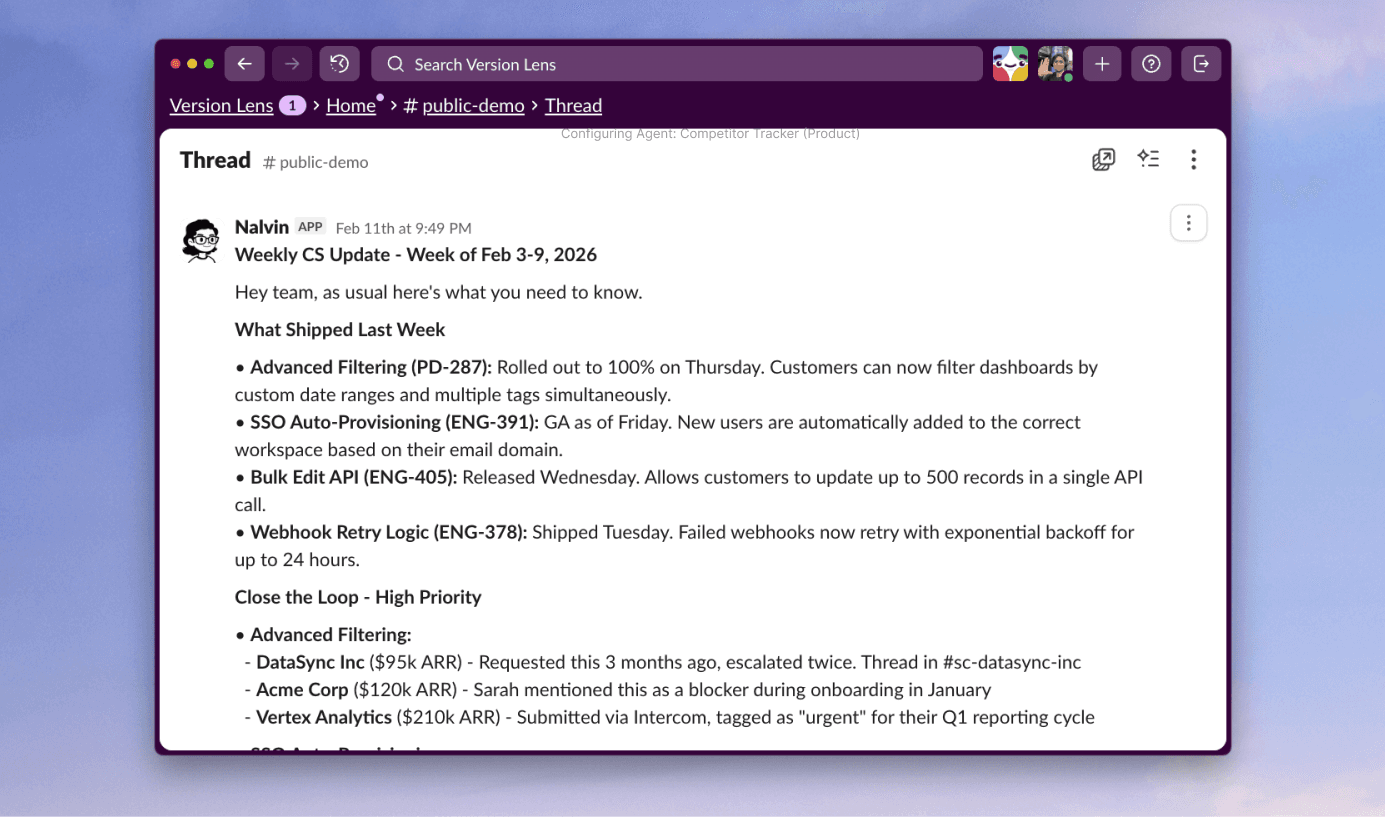
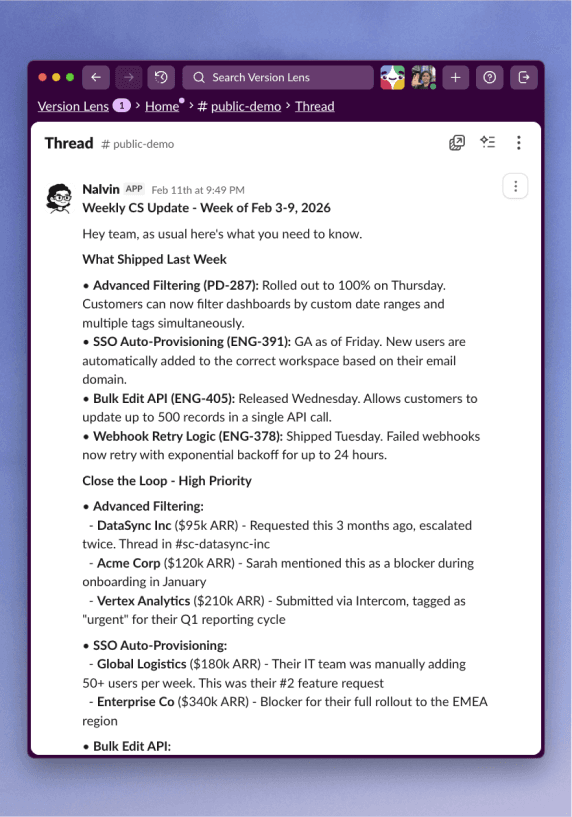
Nalvin pulls information from your product and delivery tools to generate stakeholder updates based on active and planned work. Choose the topic, audience, channel, and schedule, and Nalvin adapts the update to each stakeholder group automatically.

Supported Integrations

Templates are flexible by default. Nalvin automatically picks the right integrations based on what you’ve connected.

Asana

ClickUp

Monday

Trello

Notion

GitHub

Shortcut

Linear

Microsoft Teams

Confluence

BitBucket

Jira

Slack

How to best use this template

Below are a few tips & tricks from the Nalvin team to get the most out of this template.

Set up personalized updates for your different stakeholders

Different stakeholders have different priorities. Set up separate updates for Sales, CS, Support, and more, and let Nalvin tailor each one to that audience.

You can use these updates to close the feedback loop with customers

If you’re using Nalvin to collect product insights you can ask Nalvin to include in the update which specific customers have asked for a feature or bug fix.

If sent in Slack or Teams your team can ask follow-up questions

Your stakeholders can ask follow-up questions on updates directly in Slack or Teams, this means you can keep them short so people actually read them.

You can set-up individual updates not just team ones

If the updates are difficult to personalize on the stakeholder group level you can even set-up individual ones for e.g. every CSM.

You can include ETAs and ongoing work if you want

Stakeholders also care about what’s being worked on. You can include in-progress work (without promising any ETAs)

Set up personalized updates for your different stakeholders

Different stakeholders have different priorities. Set up separate updates for Sales, CS, Support, and more, and let Nalvin tailor each one to that audience.

You can use these updates to close the feedback loop with customers

If you’re using Nalvin to collect product insights you can ask Nalvin to include in the update which specific customers have asked for a feature or bug fix.

If sent in Slack or Teams your team can ask follow-up questions

Your stakeholders can ask follow-up questions on updates directly in Slack or Teams, this means you can keep them short so people actually read them.

You can set-up individual updates not just team ones

If the updates are difficult to personalize on the stakeholder group level you can even set-up individual ones for e.g. every CSM.

You can include ETAs and ongoing work if you want

Stakeholders also care about what’s being worked on. You can include in-progress work (without promising any ETAs)