
Discovery

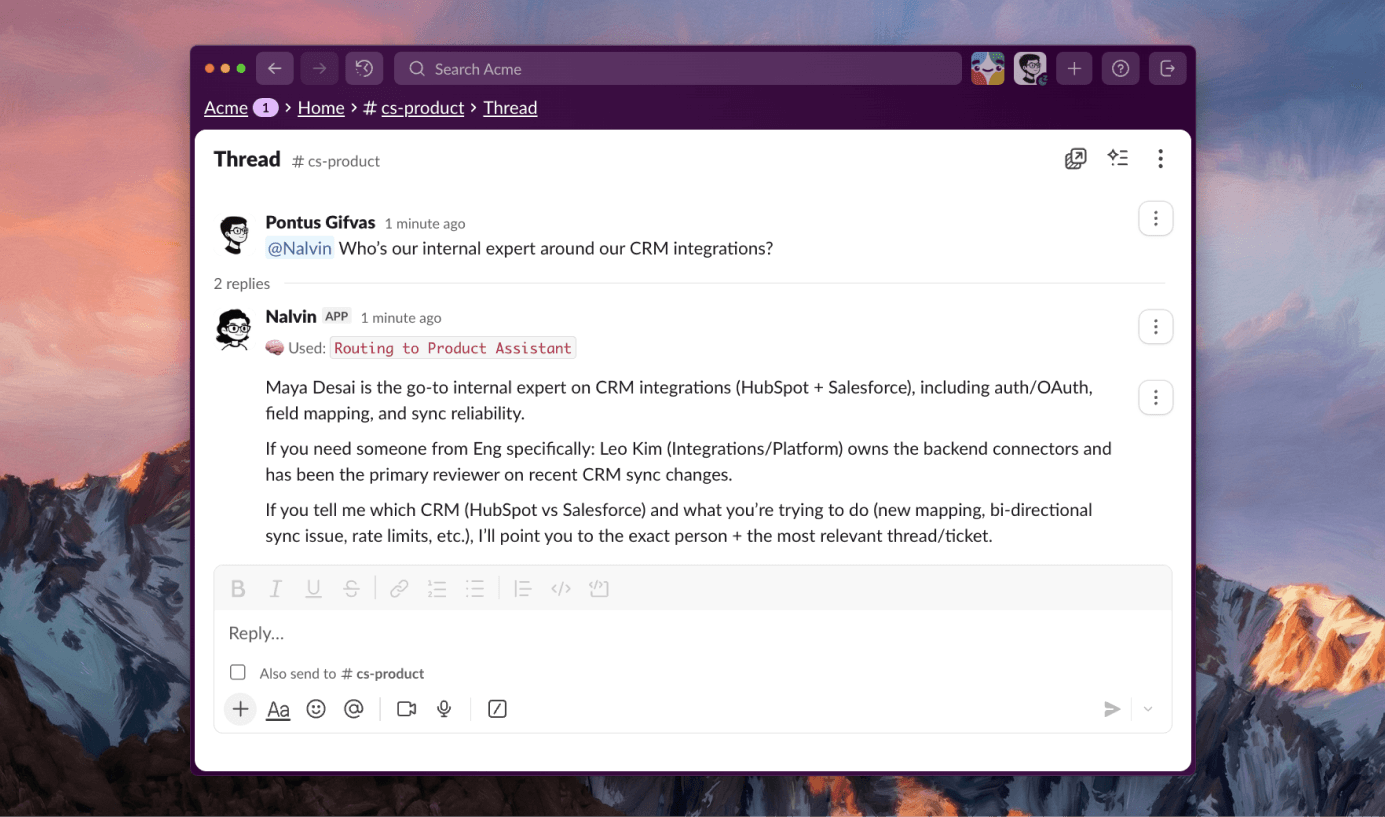
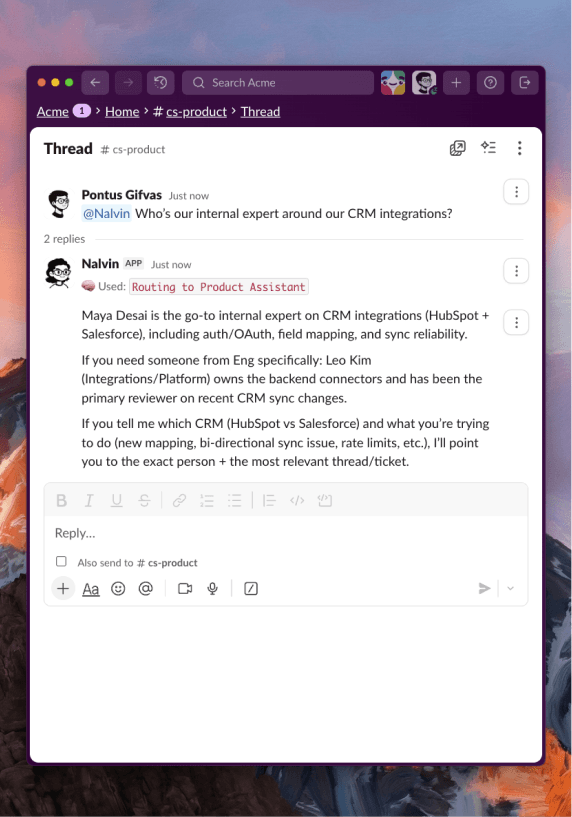
Find the right person for any topic

Use Template

By Nalvin

Use Template

Description

Nalvin analyzes activity across your project management, documentation, and communication tools to identify the best person to talk to about a specific topic. By looking at who has recently closed tickets, authored docs, or led discussions, Nalvin ensures you connect with the right expert immediately, reducing time spent searching for answers.

Supported Integrations

Templates are flexible by default. Nalvin automatically picks the right integrations based on what you’ve connected.

Asana

Zoom

Monday

Trello

Google Meet
Notion

Fireflies

GitHub

Shortcut

Linear

Microsoft Teams

Confluence

BitBucket

Jira

Slack

How to best use this template

Below are a few tips & tricks from the Nalvin team to get the most out of this template.

Be specific about the topic or problem area

The more specific you are (e.g., “OAuth implementation” vs. “Auth”), the better Nalvin can filter for relevant signals. This helps the agent prioritize people who have worked on exact technical blockers.

Use this for cross-team discovery

Start with this template when you’re working on a feature that touches unfamiliar parts of the codebase or product. It’s particularly effective for identifying silent experts who might not be the “official” owner but have the most recent context.

Combine with project management signals

You can level this up by ensuring Nalvin has access to your ticketing systems. Seeing who actually merged the code or resolved the bug is often a higher-signal expert indicator than just seeing who is listed in a directory.

Review the “Why This Person” summary

Nalvin provides context for its choice, such as “Authored the PR for this feature” or “Lead a meeting on this topic last week.” This helps you understand exactly what to ask them when you reach out.

Use the suggested intro message

To save even more time, Nalvin can draft a short intro for you. This helps bridge the gap between finding the expert and starting a productive conversation without you having to explain the background from scratch.

Be specific about the topic or problem area

The more specific you are (e.g., “OAuth implementation” vs. “Auth”), the better Nalvin can filter for relevant signals. This helps the agent prioritize people who have worked on exact technical blockers.

Use this for cross-team discovery

Start with this template when you’re working on a feature that touches unfamiliar parts of the codebase or product. It’s particularly effective for identifying silent experts who might not be the “official” owner but have the most recent context.

Combine with project management signals

You can level this up by ensuring Nalvin has access to your ticketing systems. Seeing who actually merged the code or resolved the bug is often a higher-signal expert indicator than just seeing who is listed in a directory.

Review the “Why This Person” summary

Nalvin provides context for its choice, such as “Authored the PR for this feature” or “Lead a meeting on this topic last week.” This helps you understand exactly what to ask them when you reach out.

Use the suggested intro message

To save even more time, Nalvin can draft a short intro for you. This helps bridge the gap between finding the expert and starting a productive conversation without you having to explain the background from scratch.